If
As you saw in the first example, the keyword if placed in front of a boolean expression lets us check whether a condition is met.
if (Boolean expression){
The code inside this block runs only if the boolean expression returns true
}
The program’s flow with an if can take an alternative path. Pay attention to the word “can”: it’s not mandatory. If the condition isn’t met, the program simply moves on without entering that block.
|
Start of the program |
pub fn main() void { … const n_a = 2 + 1; if (n_a > 2) { print("n_a is greater than 2", .{}); }
…} |
|
|
|
|
End of the program |
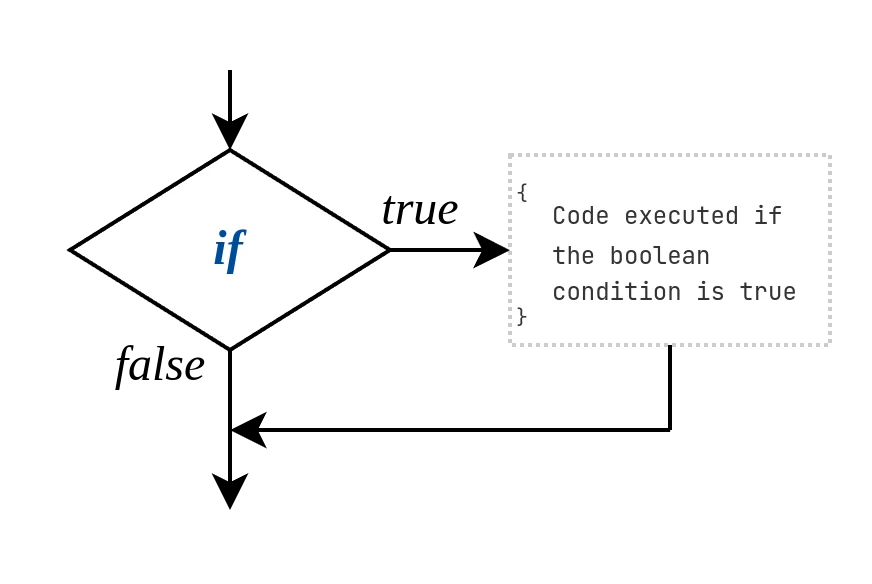
fig. linear
Let’s use if again. Unlike the previous example, here less is better than more: imagine a speed record has been beaten by the player. Only in that case do we show a congratulatory message.
better_time.zig |
|
const std = @import("std"); const print = std.debug.print; pub fn main() void { const n_time_record = 10.0; const n_time = 9.8; if (n_time < n_time_record) { print("Congratulations! With your time: {}, you've beaten the previous record ({}).\n", .{ n_time, n_time_record }); }
} |
|
$ zig run better_time.zig |
|
Congratulations! With your time: 9.8 you've beaten the previous record (10). |
Here the condition is:
|
n_time < n_time_record |
If the condition is met, that is if the second time is lower than the first, the program runs the block of code inside the braces { }. If it’s not met, nothing is shown.
…but what happens if we want to run a block of code only when the condition is not met?